
Receive a delivery with no paperwork, and reconcile it
- How-to
- Inbound
- Who can do this: Admin, Warehouse Manager, Floor Supervisor, Warehouse Operative
- Checked on 27 October 2026
Book in and receive a delivery that has no Purchase Order or ASN, then match what arrived to an open order or a new one.
In short
Book the delivery in with Blind receiving on, and receive every product of the client as it is scanned. Afterwards, an Admin or a Warehouse Manager selects Reconcile with PO to match the lines to a Purchase Order.
Before you start
You need to be an Admin, a Warehouse Manager, a Floor Supervisor or a Warehouse Operative. Reconciling needs an Admin or a Warehouse Manager. If you don't see New Inbound Shipment, ask a Warehouse Manager.
Use Blind Receiving only when nothing says what is on the lorry. If the client has an open Purchase Order for it, book it in against that instead.
Steps
Book in the blind delivery
- Go to Inbound › Inbound Shipments and select New Inbound Shipment.
- Choose the Client, such as Northern Thread Co. Ltd, and turn on Blind receiving. The form stops asking for Purchase Orders.
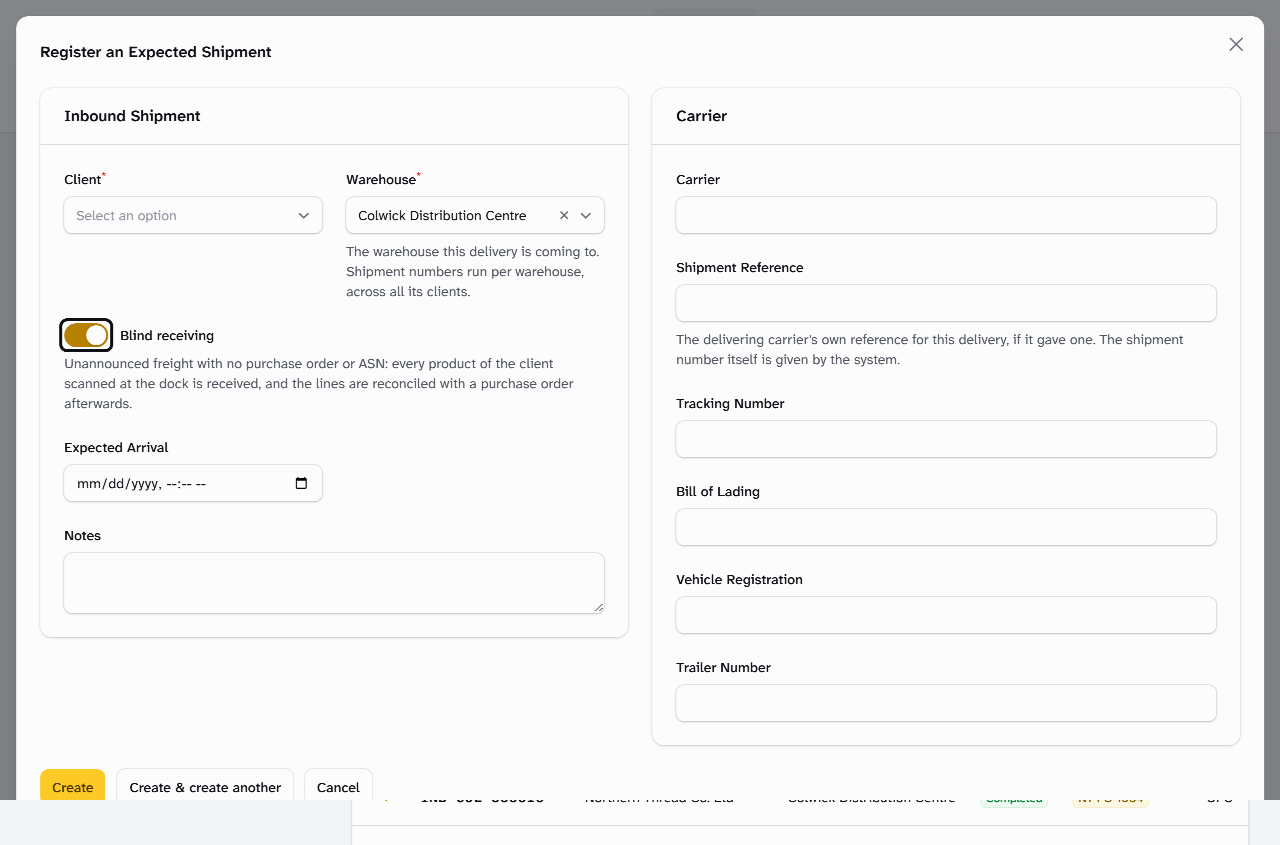
- Enter the carrier's details, and select Create. The shipment's row shows Blind.
- When the lorry arrives, mark it arrived at its door.
Receive it
- Open its Inbound Station. Its Transaction Number shows Blind beside it.
- Scan
LOOSEorNEW-TOT, then scan each product with its count in × qty. Any product of this client is received.
+24 NTC-TEE-SGE-M
24 received blind · loose in COL-GI-DOCK-04
Another client's product is refused:
HB-LAV-BALM-50 is not on this shipment
Nothing was received.
Reconcile with a Purchase Order
- Admin or Warehouse Manager only: in the shipment's row, select Actions, then Reconcile with PO.
- Under Purchase order, choose An open purchase order and pick it in Purchase Order. Each line is matched to the order's line for the same product.
- Change a match, or select Leave unreconciled for a line that belongs elsewhere.
- Or choose A new purchase order from these lines, and enter the order's number, its Supplier and Supplier Reference.
- Select Reconcile.
Inbound shipment INB-COL-000025 reconciled
What happens next
The lines' receipts now count towards the order, as a Retroactive Purchase Order Reconciliation. The stock stays where it is. A new order made from the lines is Received straight away. You can reconcile while receiving or after you complete receiving.
Still stuck? Email [email protected]